Introducing Admiral
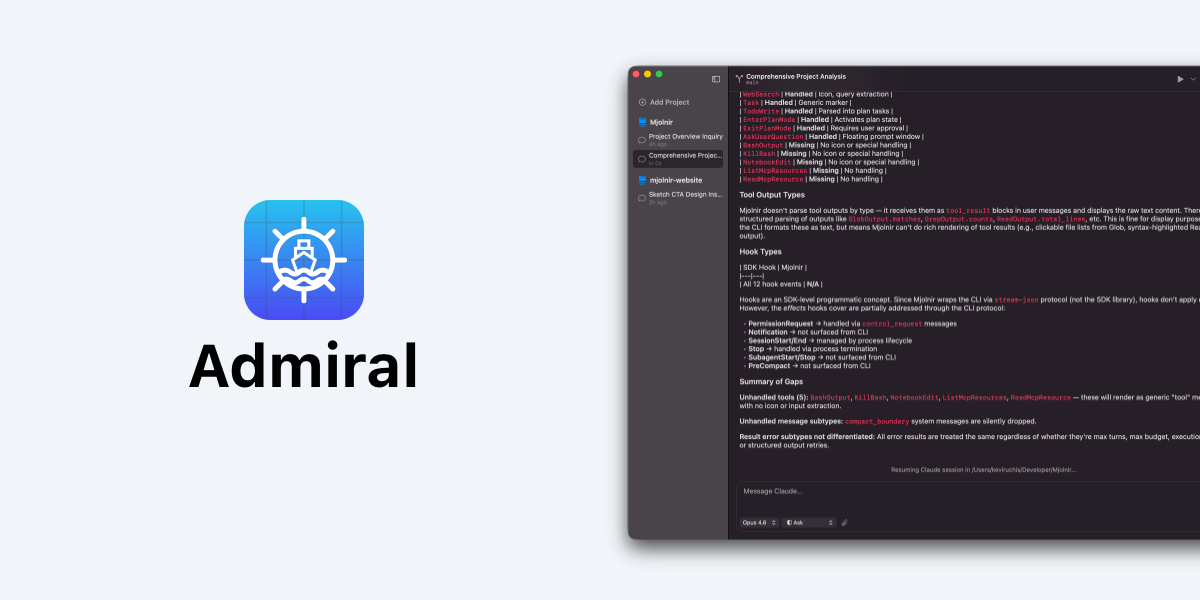
Today we’re releasing Admiral 1.0, a native macOS developer workspace built entirely in Swift on AppKit. It brings AI agents, dev tools, and your codebase together in one place, designed for developers who want to build without the overhead of browser-based tools.
Why We Built This
Most AI coding interfaces run inside a browser or an Electron shell. That means a full web engine sitting between you and your work, eating memory, draining battery, and never quite feeling like a real Mac app.
We thought developers deserved better. So we built Admiral from scratch as a native macOS application. No web views. No runtime translation. Just a fast, focused workspace that behaves exactly like the rest of your Mac.
What Admiral Does
Admiral is a multi-panel workspace that puts your projects, conversations, and code side by side. You can run multiple AI sessions in parallel, each with its own context and thread, while a built-in terminal and Git integration keep everything within arm’s reach.
Here’s what ships in 1.0:
- Native performance - instant launch, 120fps animations on ProMotion, and a fraction of the memory footprint of Electron-based alternatives
- Multi-panel workspace - projects, conversations, and diffs visible at a glance. No tab hunting, no context switching
- Built-in Git - stage, commit, and push without leaving the window. Every AI-suggested edit surfaces as a clean, visual diff so you review line by line
- Parallel sessions - run separate AI agents across different parts of your project at the same time
- Integrated terminal - a native terminal panel with full ANSI color support, right next to your conversation
- Worktree isolation - each session can work in its own Git branch so experiments never collide
- AI-generated commits - Admiral drafts conventional commit messages from your staged changes. One click to accept, edit, or start over
- Dark mode - every color hand-tuned for contrast and readability during late-night sessions
- Local-first - all your data stays on your Mac. Conversations, project history, and API keys (stored in macOS Keychain) never leave your machine
Security by Default
We take a simple stance on data: it’s yours. Admiral stores everything locally. No cloud sync, no telemetry, no analytics. API keys live in the macOS Keychain, and every action the AI wants to take surfaces for your approval first. You’re always in control.
What’s Coming Next
Admiral 1.0 is just the beginning. We’re actively working on:
- Codex integration - a second AI engine for the days you need speed over depth, arriving summer 2026
- Drag-and-drop support - drop files directly into conversations
- Deeper macOS integrations including Spotlight, notifications, and system-level file associations
Get Started
Admiral 1.0 is available now as a free download. It requires macOS 26.2 or later. Bring your existing Claude Code account, no separate API keys or tokens needed.
We’re just getting started, and we’d love to hear what you think. Follow along on the blog for weekly updates as we ship new features.